


1. Before you start
•
Decide your URL (discuss with STOVE)
◦
•
Share your sever address, which your web server will be deployed.
•
Make sure below checklist is all applied during integration
•
STOVE will go through security check after the integration is done (5 workdays)
◦
There can be necessary modifcation to be made depending on the result
◦
Critical or HIgh level issues must be resolved before the release.
•
SSL is provided from STOVE.
2. Checklist
•
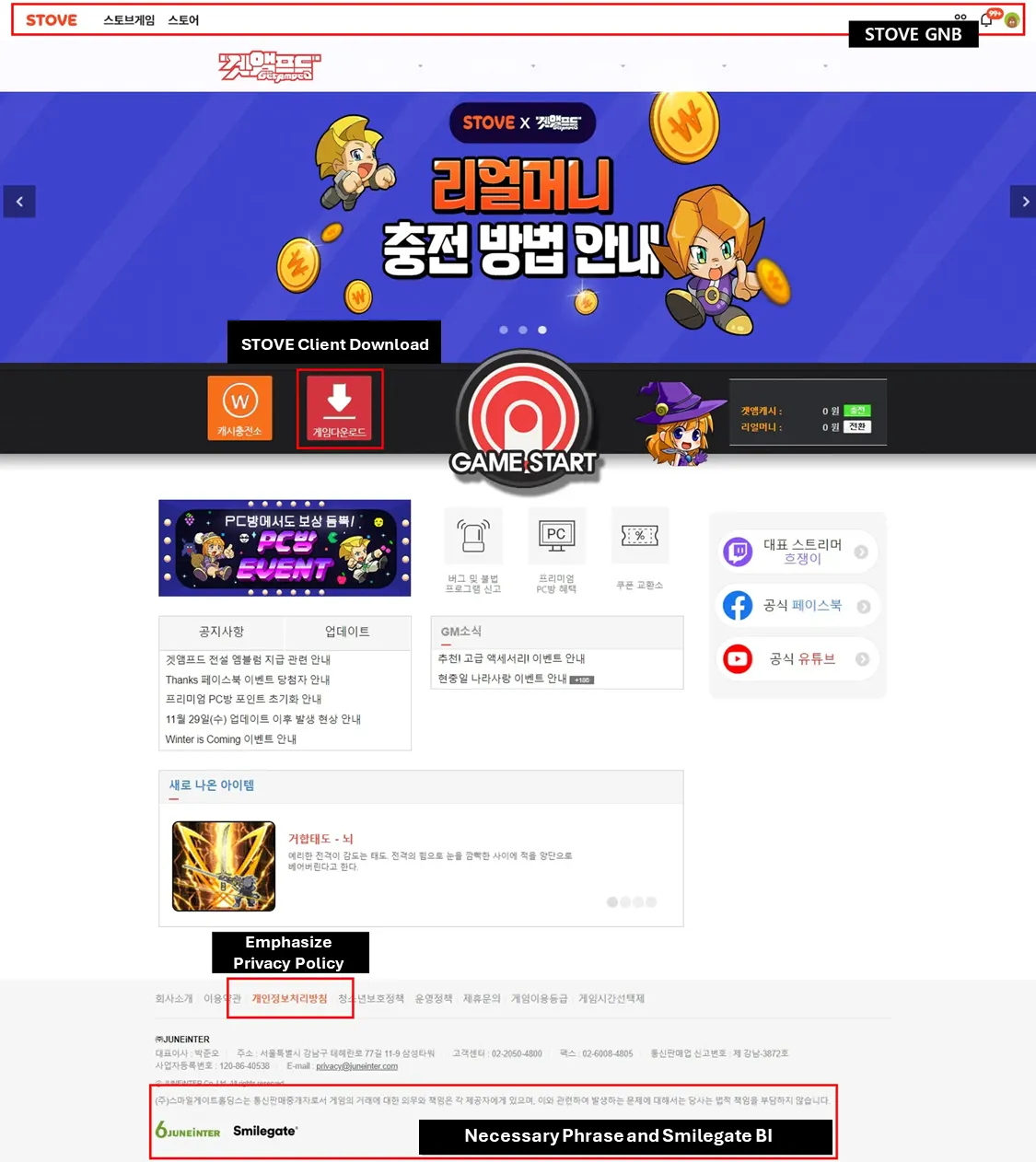
리스트 하단에 예시 이미지도 추가하였으니 참고 부탁드립니다.
항목 | 내용 |
STOVE GNB | Add STOVE GNB (Global Navigation Bar) |
STOVE Client Download Path | STOVE 클라이언트를 다운로드할 수 있는 경로 추가
기존 게임 클라이언트 다운로드 경로가 존재할 경우, STOVE 클라이언트 다운로드로 교체 |
Emphasize Privacy Policy (in footer) | Contact STOVE |
Neceesary phrase(s) | Contact STOVE |
Smilegate BI | Add Smilegate BI in the footer, next to your (deveoper’s) BI |
•
Example
Getamped (https://getamepd.game.onstove.com) (might require VPN)
#. Caution
•
STOVE provides its own path to receive agreement for Terms and Conditions
•
If a user is signing up within the game’s STOVE homepage, do not let the user agree to the Terms twice.