
About 2025 Good Buy Festa
•
Application: ~ 12/14
•
Promotion Schedule: 12/16 16:00 ~ 26/01/04 23:59 (KST, GMT+9)
•
For who: For All Games
•
Details: Celebrate the upcoming year-end season
Below explains how you can apply to [2025 Good Buy Festa]

1. Login to STOVE Studio
•
Login to STOVE Studio, with account which you manage your game(s)/produt
◦
Promotion · Event menu has recently been added, and most of the accounts do not have permission.
Please ask your Team Owner to set Promotion · Event menu, or use Team Owner account to apply to the promotion.
How to add Promotion · Event Promotion
1.
Login to STOVE Studio, with Team Owner account
2.
Click Member Management on the LNB

3.
Click the account to set permission

4.
Put tick marks on Promotion · Event, scroll down, and press Save.


5.
Granting permission is now done!
2. Apply to Promotion
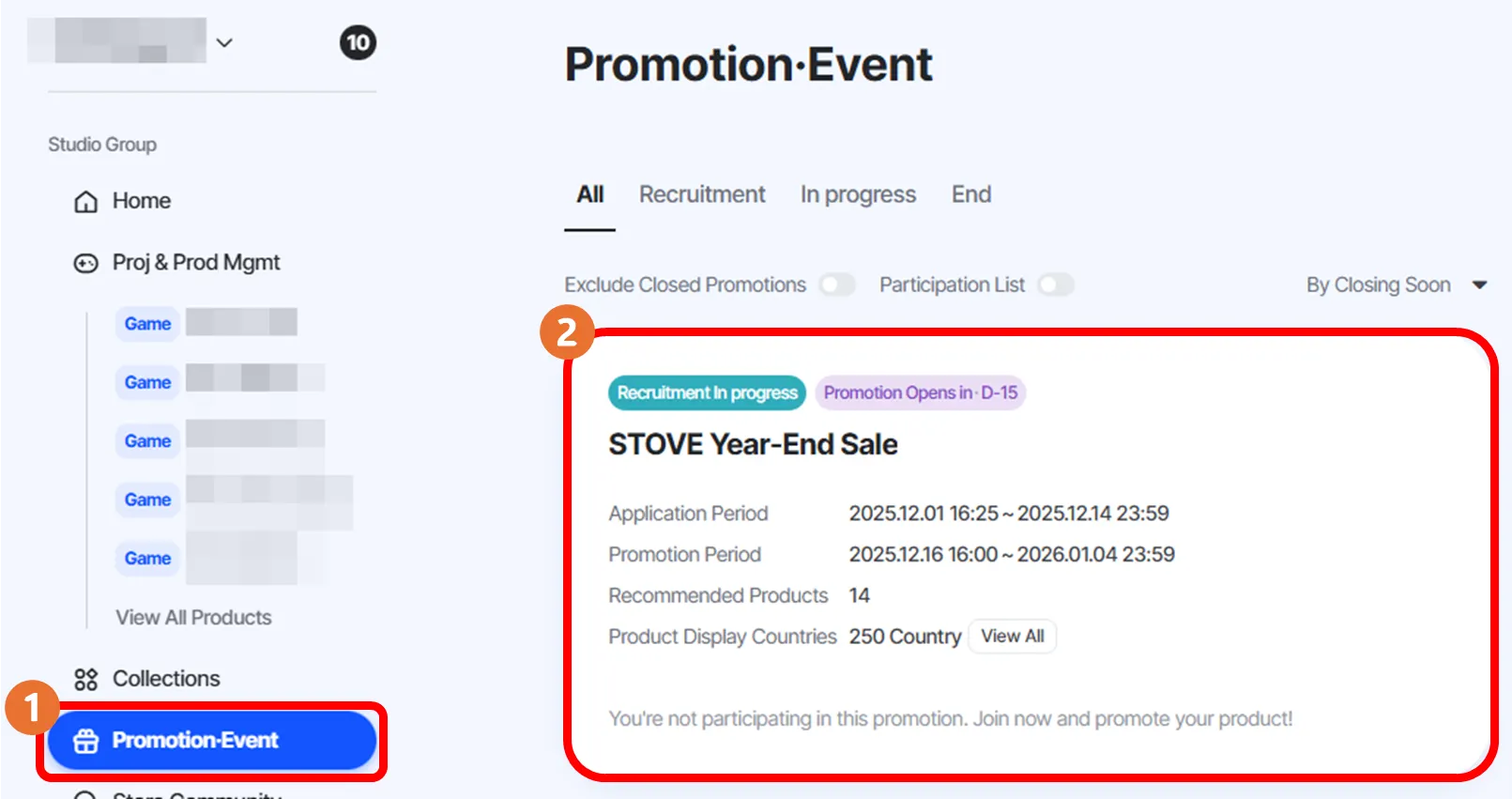
Home → ① Click Promotion · Event in LNB → ② Click STOVE Year-End Sale
3. Set Discount Rate
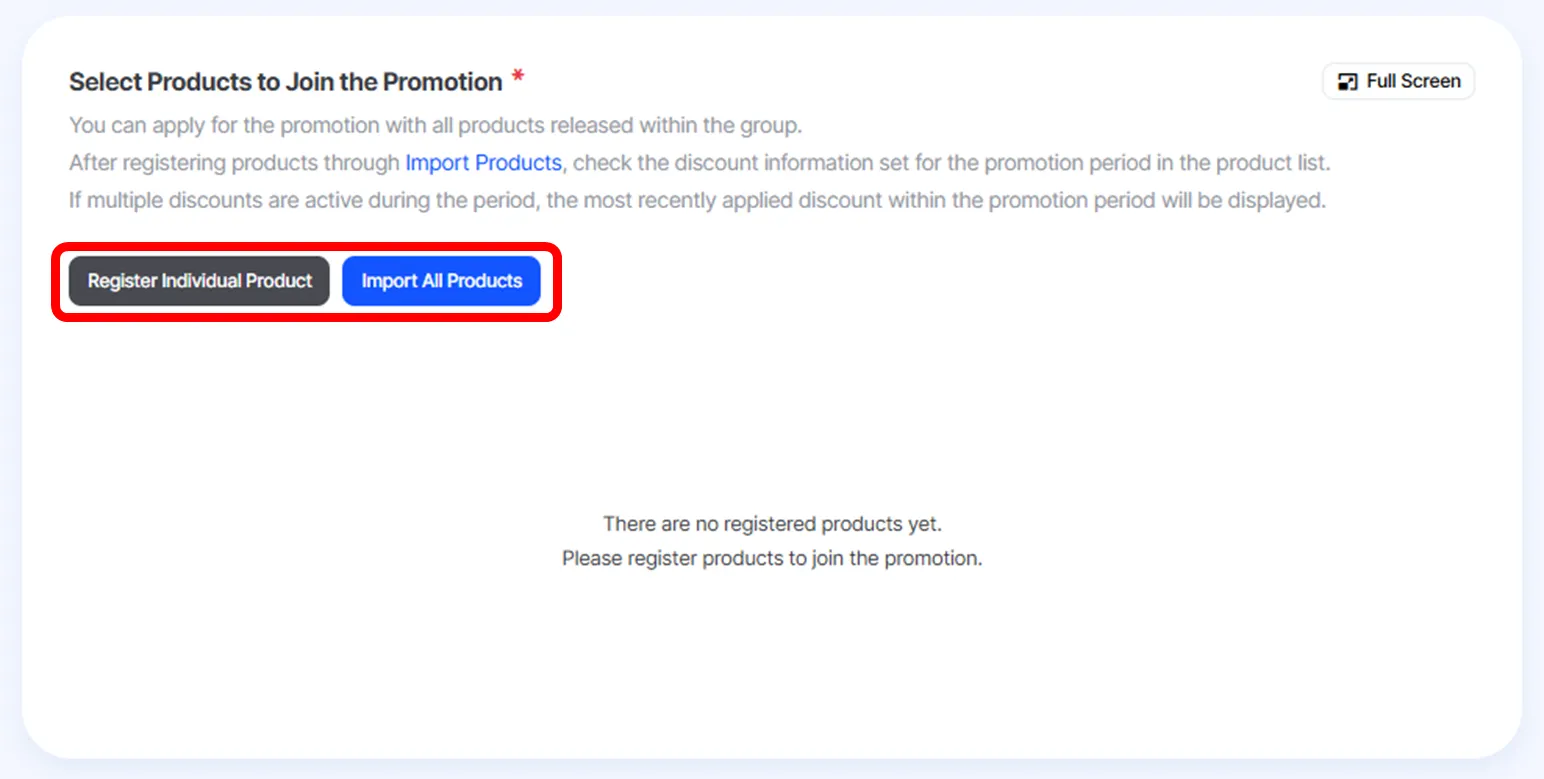
① Scroll Down, and choose which game(s) you will participate
You can either Register Individual Product or Import All Products.
② If selected all games to participate, click set Discount Details on the left

③ When clicked, you will be moved to a new window with Discount Settings.
Discount duration and name are automatically entered, so enter your discount rate, and click Apply to LIVE


④ Go back to Promotion · Event,
Check “You are applying to join the promotion with the entered information.”, then press Apply to Participate. When done, you are successfully applied.

If you would like to cancel or edit your application,
Press either Cancel Participation or Edit Details button