

Editing Store Page
You can check how to edit a product page that is in preparation or already published.
Edit a Product Page
•
Before the initial review, the Product Page can be edited freely.
•
After the review is approved and before the product page is opened, the product page cannot be edited.
•
If you edit any text, make sure to update Multilingual Settings as well.
•
Click Save at the top right.
Update a Product Page
•
To update a product page that has passed the first review, duplicate the currently applied product page and edit the copy.
•
On the detail view of the existing product page, click Edit to automatically create an editable duplicate.

•
You can also update by creating a new product page instead of using the existing one.
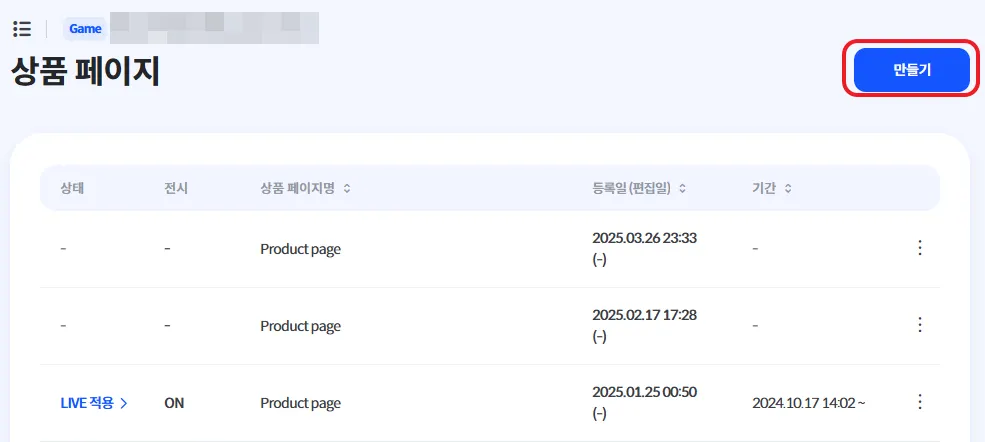
•
Select the Product Page Visibility date/time.
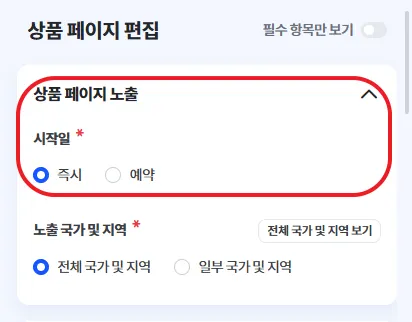
◦
Immediately: The product page is updated right away.
◦
Scheduled: The product page is updated automatically on the selected date.
•
Edit the content as needed.
•
If you edit any text, make sure to update Multilingual Settings as well.
•
Click Save at the top right.
•
The product page will be updated automatically based on the selected visibility schedule.
Notes When Editing a Product Page
•
Even when editing Showcase Images & Videos, make sure you are updating the section for the Default Language.
You must also add content manually for other languages as needed.
•
If you edit the one-line introduction or product description, be sure to check Multilingual Settings.
•
If you use AI translation, please review the results carefully for accuracy.