

RPG MAKER Toolkit
Prerequisites
•
To run the SDK properly, the nw.js version in RPG MAKER must be 0.49.2 or higher.
•
If it is lower than 0.49.2, download the newer nw.js SDK from the link below and apply it as described.
How to Apply nw.js
1.
Go to ...\steamapps\common\RPG Maker MZ/MV.
2.
You should see a folder named nwjs-win-test. As a precaution, rename it to nwjs-win-test-bak.
3.
Create a new folder named nwjs-win-test, then extract the downloaded nw.js files into it.
4.
Rename nw.exe to Game.exe.
5.
Next, you will update the nwjs-win folder. As a precaution, rename it to nwjs-win-bak.
6.
Create a new folder named nwjs-win, then extract the downloaded files into it.
7.
Rename nw.exe to Game.exe.
Important!!
1.
From nwjs-win-bak, copy package.json and the www folder, then paste them into the new nwjs-win folder.
2.
Delete the chromedriver file inside nwjs-win.
How to Verify the Installation
•
Restart RPG MAKER MV and enter nw.process.versions in the console.
If the nw version is displayed as 0.49.2, the installation was applied correctly.
기본 연동
1.
Download the SDK file below and overwrite it into your project.
2.
Launch RPG MAKER.
3.
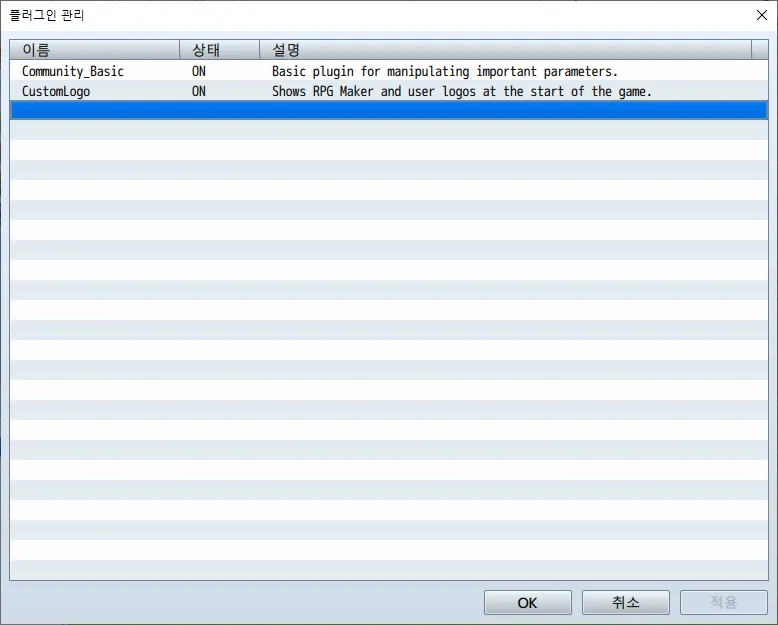
Press F10 to open the Plugin Manager window.
4.
Double-click an empty plugin row.
5.
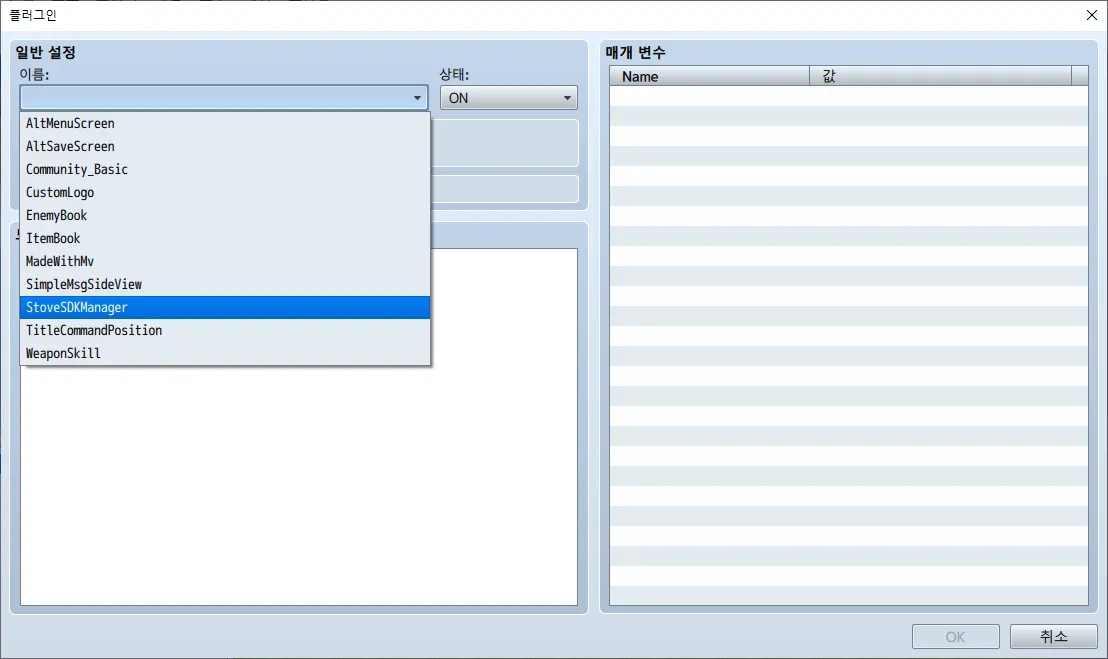
Select StoveSDKManager .
6.
매개 변수를 입력합니다.
Environment : Live // Environment value. Keep it as "Live".
App Key: // Enter the project's Application Key.
Secret Key: // Enter the project's Application Secret.
Game ID: // Enter the project's Game ID.
Log Level: (Testing) 4, (Release) 2 // Log output level.
Log Path: (Empty) // Log file generation path. Leave it empty.
Plain Text
복사
7.
This completes the basic SDK integration.