Release Review

스토브 스토어를 통해 게임을 출시하기 전, 스토브 스토어의 최종 검수를 받아야 합니다.
검수는 약 영업일 5일 정도 소요되며, 필요에 따라 검수가 반려되어 수정이 필요할 수 있습니다. 출시 일정을 고려하여 검수 요청을 진행해주시길 바랍니다.
상품을 빌드와 함께 출시하는 방법에 대한 가이드 입니다.
상품 페이지만 오픈하는 방법은 아래의 가이드를 확인해주세요.
→ Only open Product Page
Only open Product Page 1. Menu Location
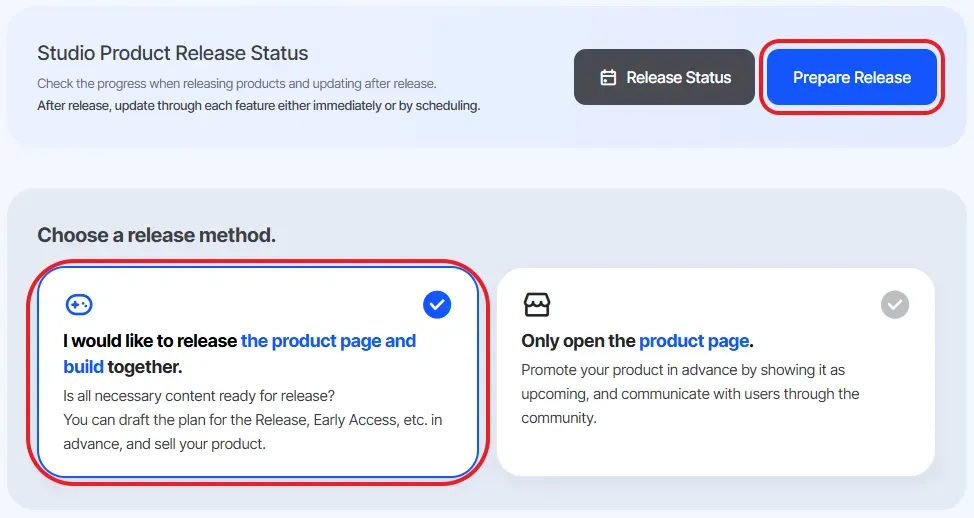
① Select the product to be released from Project · Product Management
② Choose the release method: I would like to release the product page and build together.
③ Click Prepare Release
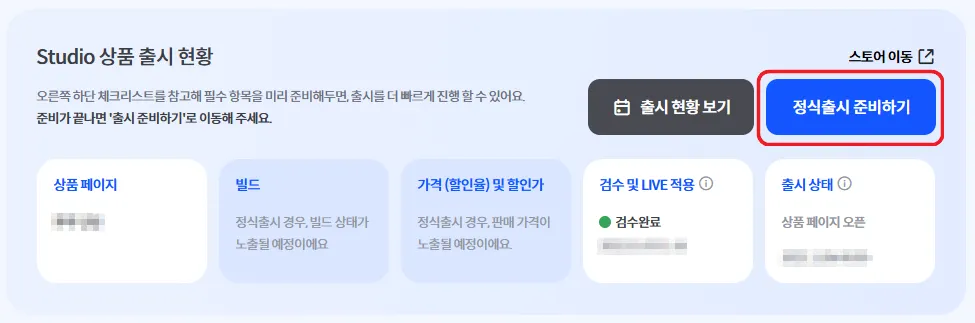
If the product page has already been opened
① Select the product to be released from Project · Product Management
② Click Prepare for Official Release
2. Configuration & Review Request
•
Check the Checklist on the right-hand side.
1.
All checklist items must be marked as Completed to proceed with release.
2.
The checklist is scrollable.
3.
You can click each subsection title to jump to the corresponding configuration
Item | Required | Details | Related Guide |
Product Settings | | Complete all required product settings. | |
Product Page | | Select the product page to be opened among the created pages. | |
Community | A community is automatically created per product.For products under the same project (e.g. Demo), community integration is recommended. | ||
Early Access Text | 1) Set Early Access visibility.2) Set the Early Access period.* The period and visibility can be modified at any time. | ||
Execution Settings | | Complete execution settings. | |
Build Management | | Upload the build. | |
Age Rating & Build Review | | Proceed with age rating review for the build, or enter GRAC / GCRB ratings. | |
Game Support Services | Configure game support services as needed. | In-game Store
Product Terms
Achievements
Leaderboard
Cloud Saving
Matchmaking | |
Price | | Set the product price. | |
Limited Sale Settings | Configure options to stop product sales.1) Stop when quantity is sold out2) Stop when the period ends※ Once a limited sale ends, sales cannot be resumed. | ||
Discount Settings | Discount settings are available after the initial review approval. | ||
Purchase Conditions | Set purchase conditions as needed. | ||
Release Plan | | Set the product page opening date / official release date.Dates can be set starting one week later considering the review period.Pre-purchase can be configured. |
•
After completing all required items, check I will release with the configured information.
•
Click Request Review.
•
Before the review is approved, you may cancel the review or modify content by clicking Cancel Review.
◦
After review approval and before the product page opens, product page editing is not allowed.
3. Canceling a Review Request
① Select the product with a pending review request from Project · Product Management
② Click View Release Status
③ Click Product Release Information (top right) → Cancel Review Request
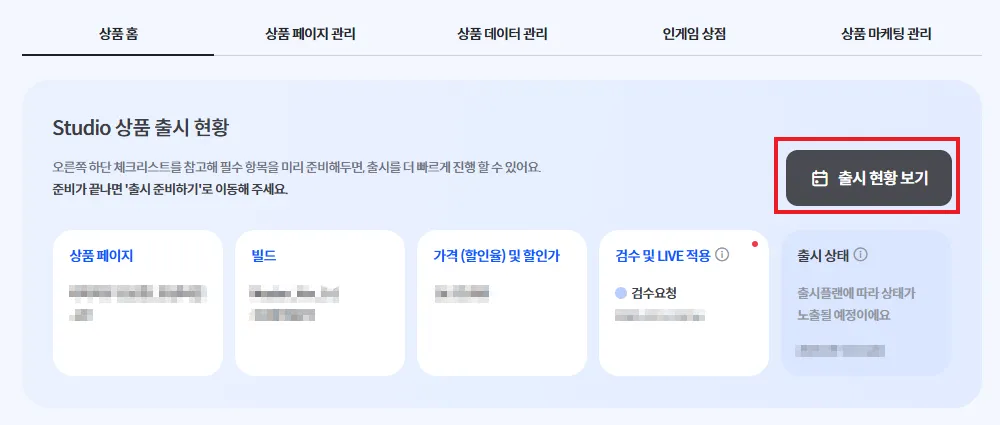
4. Adjusting the Release Date After Review Approval
Q. I want to release earlier or change the release date.
Issue: The release date is grayed out and cannot be selected.
Answer: After the first review approval, the release date and time can be modified.
1.
Select the earliest possible date and pass the review.
2.
Click View Release Status.
3.
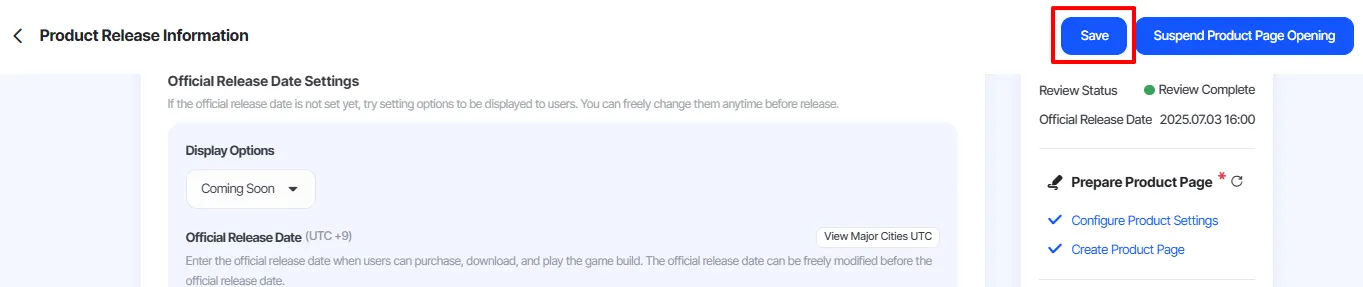
Click Product Release Info.
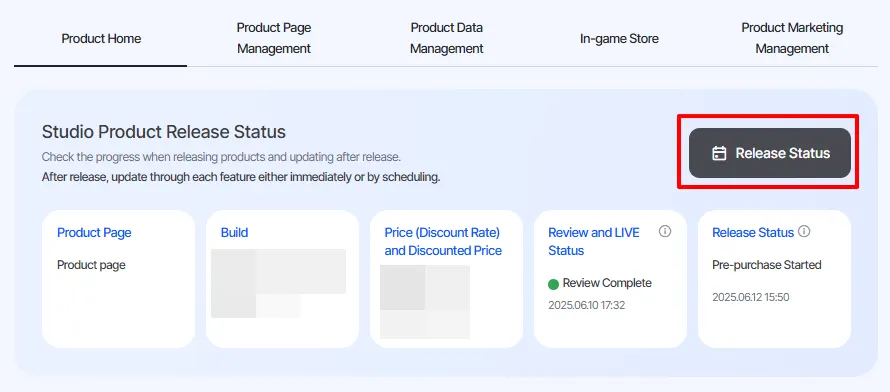
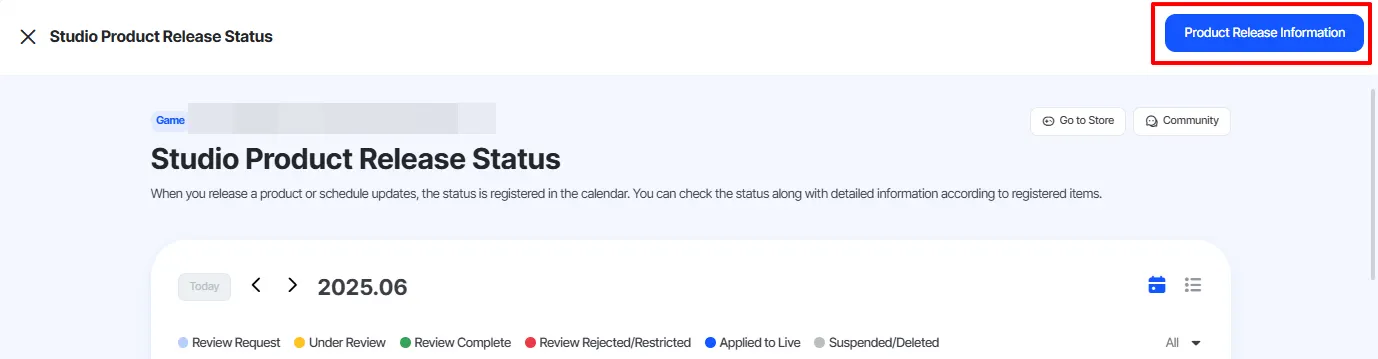
4.
Move the official Release date earlier.
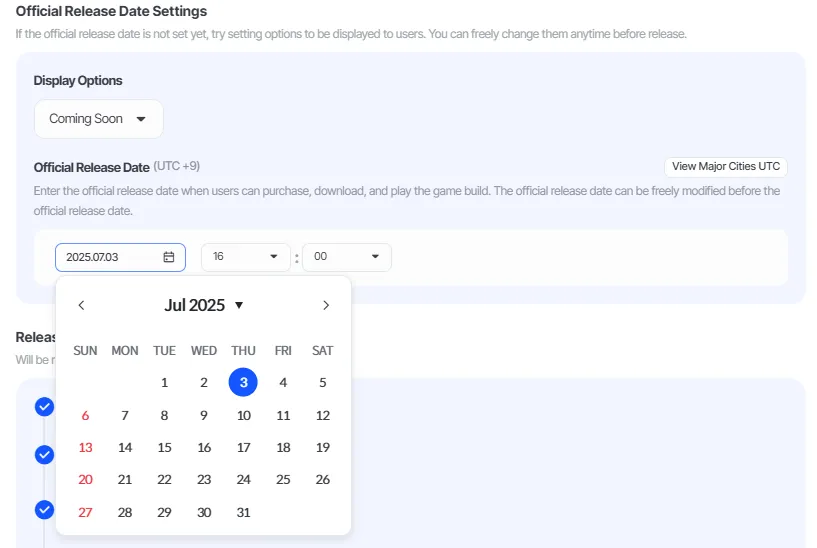
5.
Click the Save button at the top right.